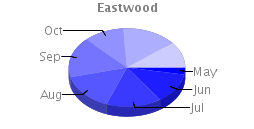
Today, via Dave Gilbert's blog, I know the existence of Eastwood Charts.
If you know about Google Chart API, Eastwood are the same thing but based in the powerful JFreeChart library. Here is a comparison.
The interesting part of Eastwood is it can be used as a servlet installed on your own server and thus you don't need to send your data to Google.
Sunday, July 27, 2008
Eastwood Charts

Remove too much files...
Sometimes (in Linux) if you try to delete all files in a directory (that contains a lot files) you get an:
> rm -rf *
Argument list too long
Via DZone I found this tip to avoid this problem. Basically it used find command to get the list of interested files and remove it one by one.
Friday, July 18, 2008
JAXB for KML
Yesterday, I take a look at KML 2.2 specification.
To avoid create a million of classes to parse XML (KML) documents I put on my hands JAXB. After a while to resolve a duplicate element name (due to case insensitive in JAXB), finally I get a bunch of classes representing the KML element types.
After a couple of little test it seems is all right and now I need to spend some time (that I haven't) to integrate KML2.2 support into Balloon ;)
Thursday, July 17, 2008
Design Patterns
Today I would like to point to this post Design Patterns - Command Pattern.
Via DZone I can see David Cumps is written a series of post about design patterns.
Very interesting for all programmers.
Thursday, July 10, 2008
Quote
Everyone is as God has made him, and oftentimes a great deal worse.
Miguel de Cervantes
Spanish adventurer, author, & poet (1547 - 1616)
Friday, June 27, 2008
Working with time
It can seem trivial but sometimes working with time can become a real headache.
Here I present a short code snippet showing one common but confusing situation:
if you create two different Calendar objects and print it getting its Date and using 'println()' method they can seem the same.
Please read code comments which clarifies every situation.
import java.util.Calendar;
import java.util.TimeZone;

public class utc {

    /**
     * @param args
     */
    public static void main(String[] args) {
        Calendar c1 = Calendar.getInstance(TimeZone
                .getTimeZone("Europe/Madrid"));

        Calendar c2 = (Calendar) c1.clone();
        c2.setTimeZone(TimeZone.getTimeZone("UTC"));

        // Print Calendars. By default the toString() Calendar method is called
        // and gets a String version of the objects.
        // As you can see the String version shows the time zone of the Calendar.
        System.out.println("Cal1: " + c1);
        System.out.println("Cal2: " + c2);

        // Print the Date objects of each Calendar.
        // Here the toString method of the Date objects are invoked and this method
        // by default translates the Date to the default system timezone. Thus both Dates
        // seems equal.
        System.out.println("Cal1: " + c1.getTime());
        System.out.println("Cal2: " + c2.getTime());

        // Finally we get the value of HOUR, MINUTE and SECOND of each calendar and
        // prints it on the screen.
        int h1 = c1.get(Calendar.HOUR_OF_DAY);
        int m1 = c1.get(Calendar.MINUTE);
        int s1 = c1.get(Calendar.SECOND);

        int h2 = c2.get(Calendar.HOUR_OF_DAY);
        int m2 = c2.get(Calendar.MINUTE);
        int s2 = c2.get(Calendar.SECOND);

        System.out.println("Cal1: " + h1 + ":" + m1 + ":" + s1);
        System.out.println("Cal2: " + h2 + ":" + m2 + ":" + s2);
    }
}
Sunday, June 15, 2008
Why I like EJB3...
Today I would like to put a link to an Adam Bien post: Why I Like EJB 3.0 And Really Like EJB 3.1, that is a summary of EJB3 benefits.
You can achieve the same with other technologies, but EJB3 offers you the whole pack.
Wednesday, May 14, 2008
Using JPA in a web application
I usually work creating my entity data model classes using JPA and creating session beans (or stateless/web services beans) in an EJB module to acces this data. Later, I create a web/desktop application to access entities through the previous module.
But sometimes you need/want to do a more quickly/ugly job working with entities directly from your web application. For those (like me today ;)) I put here this link to a JEE5 blueprint named: Design Choices in a Web-only Application Using Java Persistence.
Among other things, It talks about using container or application managed entity managers.
Saturday, April 26, 2008
Obfuscating a NetBeans Java application project
Some time ago I found a couple of posts talking about how obfuscating a NetBeans RCP module (here and here).
Getting some parts of the ant targets presented in the previous post, this one present a simple target that allows to obfuscate a normal java library.
For this, you need to have installed the obfuscator ProGuard.
Take into account I am talking about obfuscating a Java library. This implies the obfuscation is lighter than if you obfuscate a closed application, that is, all public methods and interfaces must maintain its name (if not you can call your library methods anymore).
Open your build.xml Java application file and paste this target:
                         classpath="${proguard.jar.path}" />


                          renamesourcefileattribute="SourceFile" ignorewarnings="true">


                                        name      ="class$"
                        parameters="java.lang.String" />
                                        name      ="class$"
                        parameters="java.lang.String,boolean" />


                                        type="**[]"
                        name="values"
                        parameters="" />
                                        type="**"
                        name="valueOf"
                        parameters="java.lang.String" />


                                        type      ="long"
                        name      ="serialVersionUID" />
                                        name      ="**"/>
                                        name      ="**"/>
                                        name      ="**"/>
                                        type      ="void"
                        name      ="writeObject"
                        parameters="java.io.ObjectOutputStream" />
                                        type      ="void"
                        name      ="readObject"
                        parameters="java.io.ObjectOutputStream" />
                                        name      ="writeReplace"
                        parameters="" />
                                        name      ="readResolve"
                        parameters="" />
Special attention to these couple of lines:
Tuesday, April 08, 2008
Subscribe to:
Posts (Atom)

